
 Support
 Contact
 Sign In



Known Issue: Orange Status Dot Appears on Folder But Files Within the Folder Are Green

Summary:
The folder has an orange status dot on it when all the files within the folder are backed up with green dots.
This article applies to:
| Carbonite Plans | Products | Platforms |
| Basic, Plus, Prime, Core, Power, and Ultimate (Not sure?) | Safe and Safe Pro (Not sure?) | Windows |
Solution:
- Identify the top-level folder(s) in question.
- DO NOT deselect C:\ for backup.
- Deselect and re-select the problem folders to address the issue:
- Child files that are excluded by default (such as video files for some plans) will need to be re-included later. At this time, make a note of these excluded child files so you can reselect them for backup.
- Child files that you exclude will also need to be excluded again.
- For the example below, go up one level and deselect the Test Files folder.
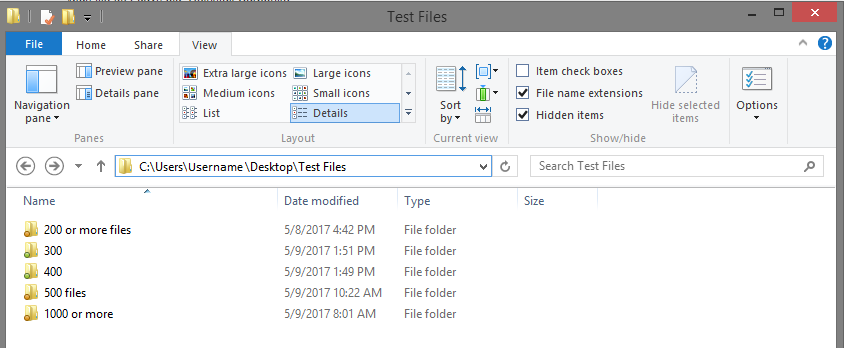
- Re-select the folder.
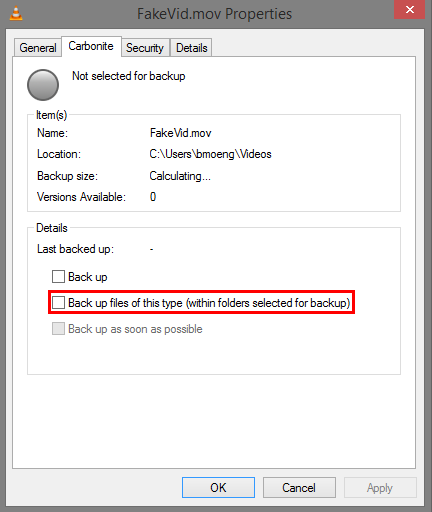
- If needed, re-select all the files you've noted to prevent data loss. Remember you can use the Backup files of this type feature if there are multiple files with the same extension.
 Feedback