
 Support
 Contact
 Sign In



Releasing an Account

- This article is for Windows and Mac
Summary:
You can release a customer from your account through the Partner Portal. Any customer you release from your account will need to renew on their own through the Carbonite website to continue using the product after their subscription expires. Releasing a customer from your account will not cause any backed up data to be lost.
Solution:
To release a customer from your account sign into your Partner account at https://portal.carbonite.com.
Then, click Accounts to view a list of your customers. Click on the customer you wish to release to view information pertaining to that customer.
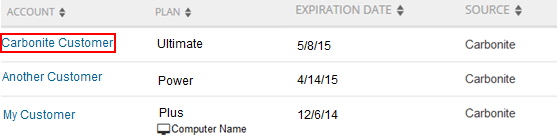
The next step you take will differ depending on the type of customer you want to release. For further instructions, select one of the collapsible sections below.
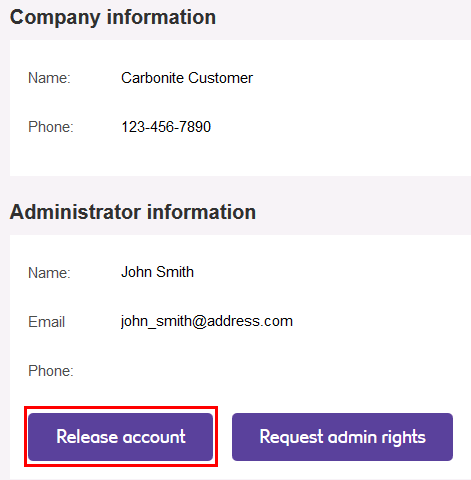
To release a Safe Pro customer, click Settings within their account page.

If you are sure you wish to release the Safe Pro customer from your account, simply click the Release account button.
You will receive a popup indicating the action you are planning on taking. Click the Yes, release account button to proceed.
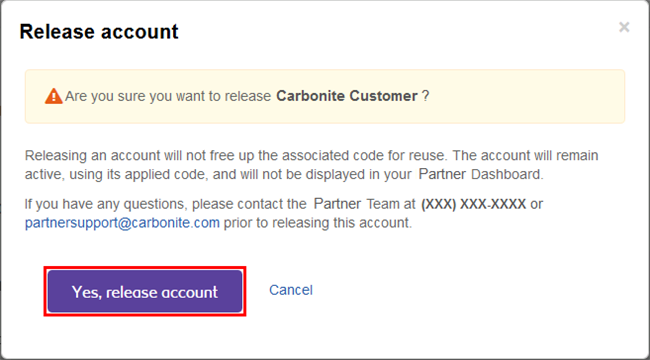
Once a customer has been released from your account, any admin user you have linked to the account will be changed to a regular user and you will not be able to view their account information from your Partner Portal.
To release a Safe customer, simply click the Release account link, beneath their subscription number.
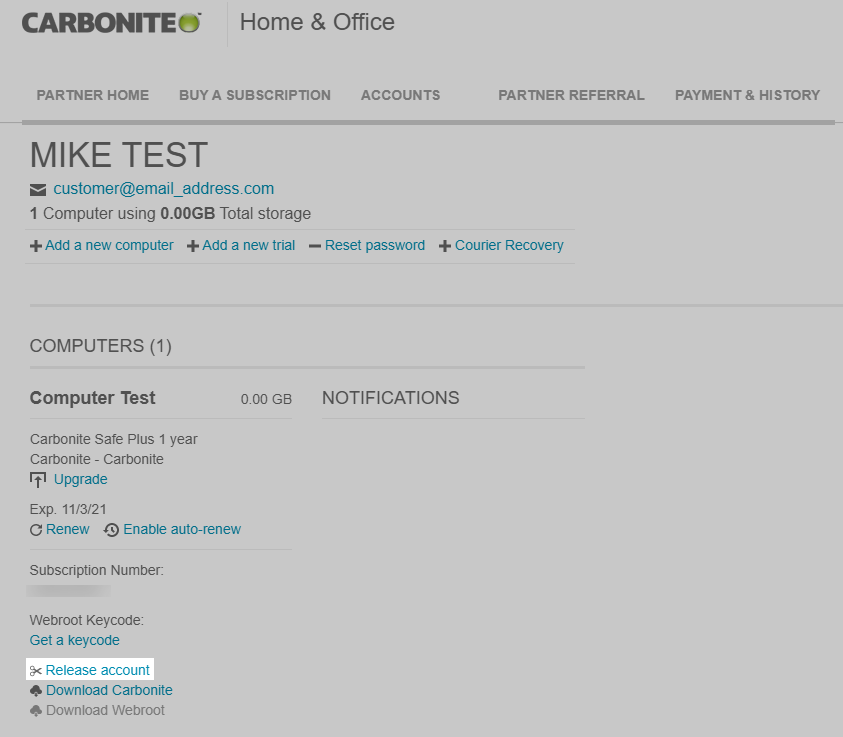
You will receive a popup indicating the action you are planning on taking. Click the Yes, release account button to proceed.
Once a customer has been released from your account, you will not be able to view their account information from your Partner Portal.
 Feedback