
 Support
 Contact
 Sign In



Searching Your Carbonite Safe Backup Pro Account

- This article is for Windows and Mac
Summary:
Carbonite Safe Pro administrators are now able to search their account for users, computers and groups. This function will help administrators with numerous users or computers find the information they are looking for more quickly.
Solution:
First, sign into your Carbonite account as an administrator at https://account.carbonite.com/.
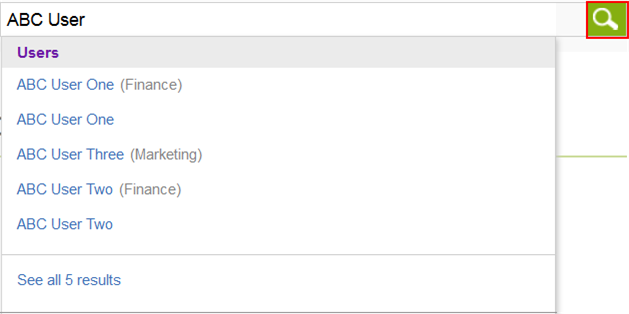
Once you have signed in, you will see a search bar displayed on the top of the dashboard. Type a user's name, group name, computer name or email address into the search bar and you will see matching search results display as you type. Click the Magnifying Glass to display your full search results.
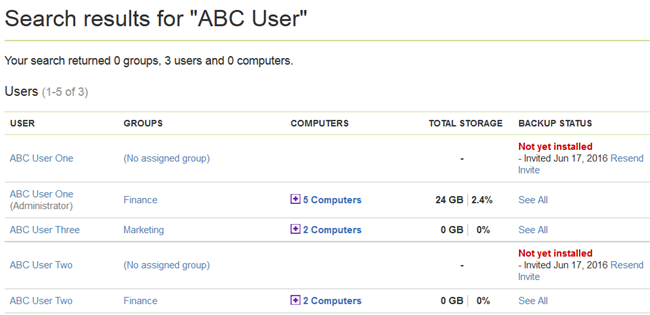
Your search results will be displayed and you can click on the results for more information about the group, user, or computer you searched for.
 Feedback