
 Support
 Contact
 Sign In



Upgrading a Trial to a Paid Subscription

- This article is for Windows and Mac
Summary:
You can upgrade your customers' trial account to a paid subscription through the Partner Portal. You will have the option of purchasing a new subscription or applying an available subscription to the trial account. Once the account has been upgraded, its expiration date will be updated in the Accounts list.
Solution:
To purchase a subscription for your customer's trial account, sign into your account at https://portal.carbonite.com.
Once signed in, click Manage my accounts within the Quick Links section for Carbonite Safe.

Then, select the Accounts tab. Click the Buy Now link for the account you would like to purchase a subscription.

A list of plans available for purchase will be displayed.
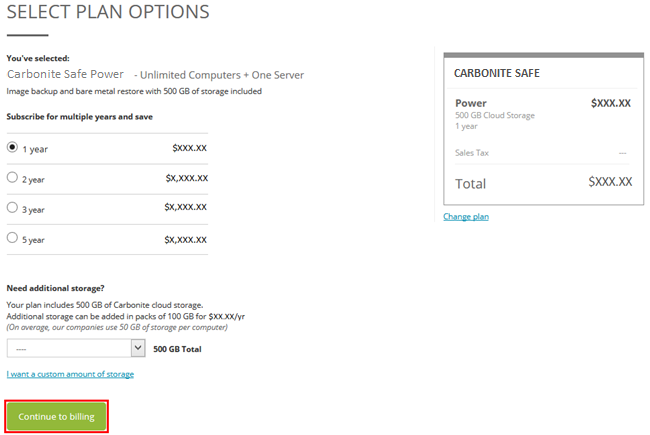
Select one of the plans with Buy and you will be able to choose from the available options:
- Choose Duration - You can select a one-year, two-year, or three-year subscription. Safe Backup Pro plans are also available as five-year subscriptions.
- Choose Storage (only for Safe Backup Pro) - Use the corresponding dropdown menu to add additional storage to a Safe Backup Pro subscription.
After making your selection(s), click Continue to billing.
During the checkout process, you will be directed to a Review and Purchase page where you can enter your credit card information (If there is already a credit card on file, it will be selected by default). You will also be able to edit your payment information and change the selected plan. Once you are satisfied with your selection, click Complete my purchase to place your order.

When your purchase successfully completes, you will receive a confirmation email with your order details. You will be able to print a receipt of your order.
The customer's trial will be upgraded and their new expiration date will be reflected in your Portal and their account.
 Feedback