
 Support
 Contact
 Sign In



Changing Your Billing Credit Card

Summary:
As a Carbonite Partner, you are able to add a new credit card through the Partner Portal. You can also edit your payment information and delete a credit card on file.
Solution:
First, sign into your account at https://portal.carbonite.com.
Select Payment & History.

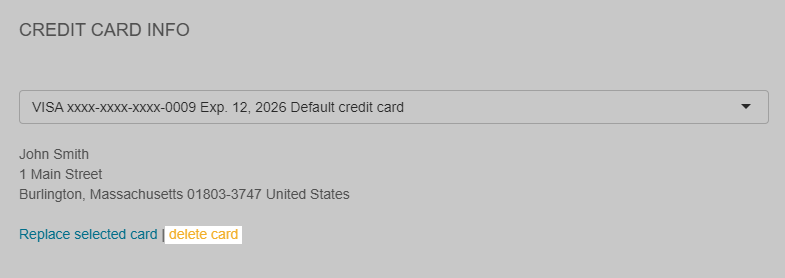
On this page, you will be able to update your credit card information by clicking Replace selected card.
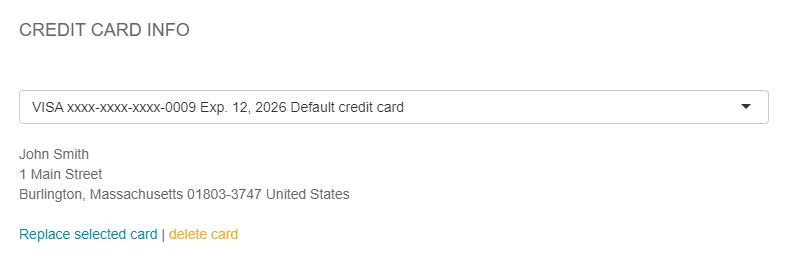
The sections below are collapsed. Please click the section title to open / close a particular section.
Adding a New Credit Card
To add a new credit card on file, click Add New Card from the drop-down menu.
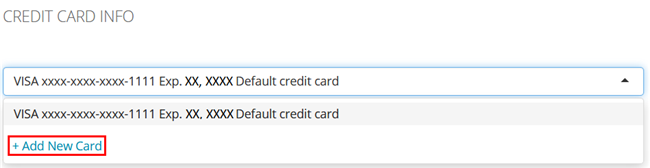
On the next page, you can enter your credit card information. Once all the required information has been entered, click Save.
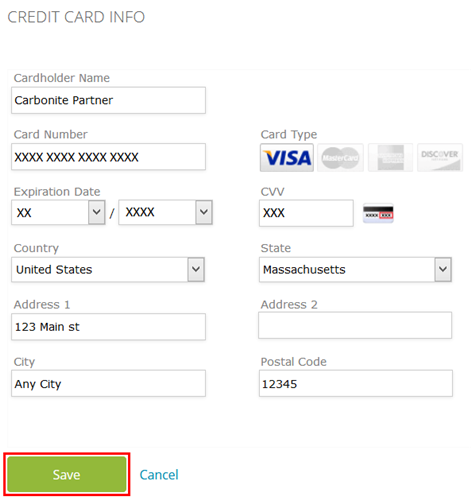
This new credit card will now be available as a payment option.
Updating Your Credit Card Information
To edit your credit card information on file, click Replace selected card.
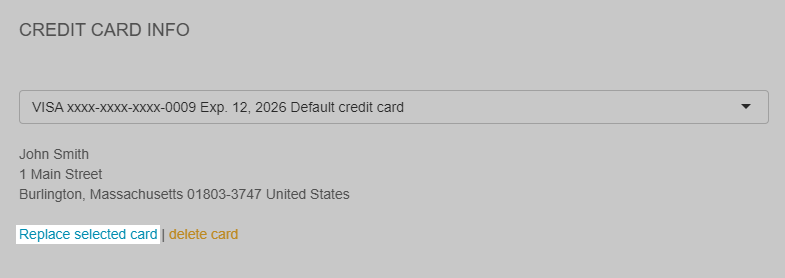
On the next page, you can update your payment information. Click Save to register your changes.
Deleting a Credit card
To delete a credit card on file, click delete card.
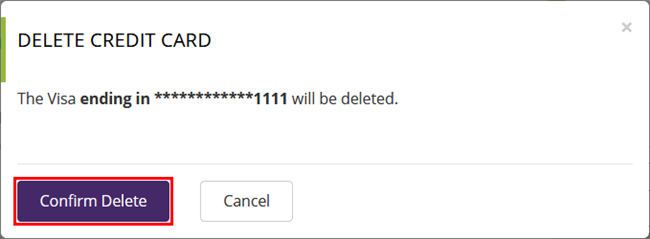
A confirmation window will appear. Click Confirm Delete to remove the credit card on file.
If this action was performed in error, you can always re-add this card to your account.
 Feedback